What Should You Do If Your Land Rover’s Touchscreen Stops Responding?
November 16, 2026
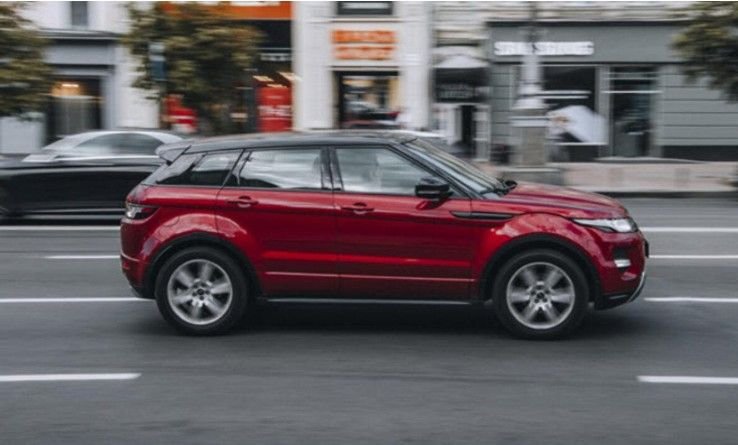
Imagine getting into your Land Rover, starting the engine, and discovering that the touchscreen is frozen or completely black. You cannot access navigation, adjust certain vehicle settings, or use other infotainment features. While a temporary software glitch may be responsible, a persistently unresponsive screen can indicate a more serious problem.
Myrtle Beach’s coastal location, warm climate, and seasonal tourist traffic mean drivers regularly encounter busy roads, crowded intersections, and packed parking areas. Routes such as US Highway 17 and Kings Highway often experience heavier traffic. These conditions make a properly functioning infotainment system and rearview camera useful for driving.
If your car’s touchscreen remains unresponsive, check for open recalls and arrange an inspection through a specialist offering Land Rover repair in Myrtle Beach.
Understanding the Problem
A malfunctioning touchscreen can result from a temporary software glitch, outdated software, electrical supply problems, or damaged display components. Sometimes, the navigation system may automatically shut down and restart as part of normal operation.
However, persistent failures deserve attention. Certain Land Rover models have been affected by a touchscreen-related recall involving blank displays and rearview camera functionality.
Signs You Should Seek Professional Help
Pay attention to these warning signs:
- A completely black or blank screen when starting the vehicle.
- A frozen display that does not respond to touch.
- A missing rearview camera image.
- Repeated infotainment failures after restarting.
- Multiple electrical problems or dashboard warning messages.
Practical Steps to Address the Problem
Follow these steps before arranging a repair:
- Restart the infotainment system.
Turn off your vehicle completely, wait a few minutes, and restart it. Check whether the touchscreen responds normally. Avoid repeatedly tapping a frozen display.
- Check for software updates.
Navigate to Settings > All Settings > Software update to check your current version. InControl Touch Pro updates require Wi-Fi or a working SIM card.
- Follow the update instructions.
If an update is available, park somewhere with reliable connectivity, close all windows, and lock the vehicle before starting. Updates can take 30–90 minutes. Do not start the vehicle during this period.
- Check for open recalls.
Use your VIN on the NHTSA recall lookup tool. Recall 25V-016, also identified as Land Rover recall N972, covers certain 2023 Discovery Sport, 2023–2024 Defender, and 2023 Range Rover Evoque vehicles. The required touchscreen software update is provided at no charge.
- Schedule professional assistance.
If the problem persists, seek Land Rover repair in Myrtle Beach. A qualified technician can scan fault codes, inspect electrical connections, examine display components, and update or reinstall infotainment software.
FAQs
- Can a software glitch cause a Land Rover touchscreen to freeze?
Yes. Temporary software problems can cause the display to freeze or stop responding. Restarting the vehicle may resolve the issue.
- How long does a Land Rover infotainment software update take?
Land Rover states that certain software updates can take approximately 30–90 minutes to complete.
- Can I continue driving if my Land Rover touchscreen is blank?
A blank screen may affect the rearview camera. Avoid relying on it when reversing; use your mirrors, and arrange professional assistance promptly.